Notifications
The Notifications app enables you to configure email accounts for sending automated reports, alerts, and notifications from your trading system. Multiple accounts can be added and configured for different purposes, such as separating operational alerts from daily reports or using different accounts for different trading strategies.
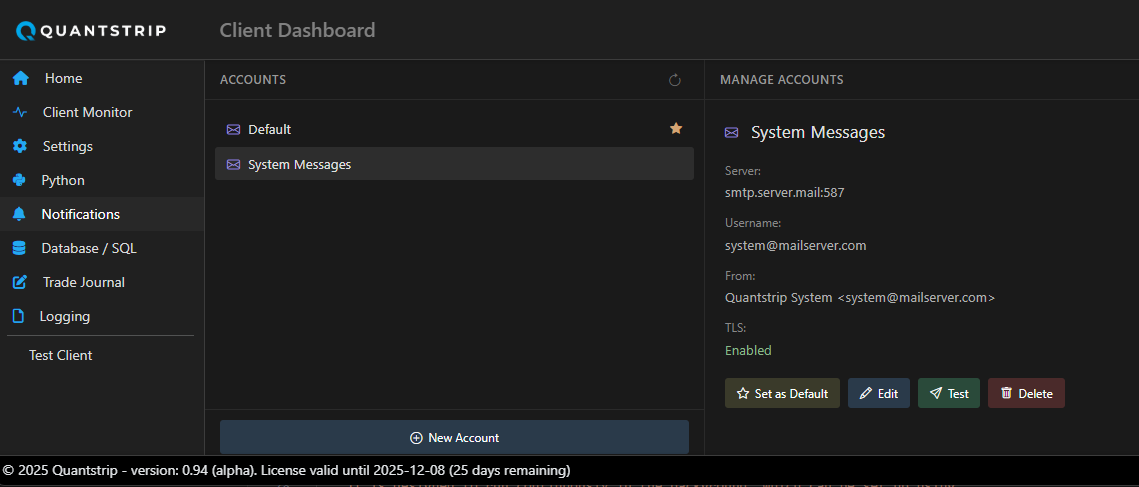
Configuring Email Accounts
The application includes built-in templates for common email service providers (such as Gmail, Outlook, and Yahoo) as well as a generic SMTP configuration option for custom mail servers. This simplifies the setup process while providing flexibility for various email infrastructure requirements.
Setting a Default Account
Designate one account as the default for system-wide notifications. The default account will be used automatically unless a specific account is explicitly specified in your client code. This allows you to streamline notification logic while maintaining the flexibility to route specific messages through different accounts when needed.
Testing Email Configuration
Before deploying your notification setup to production, verify the configuration by sending a test email. This confirms that authentication credentials, server settings, and network connectivity are properly configured.
Test Before Production
Always send a test email after configuring a new account to catch configuration issues early.
Sending Email from Client Code
To send emails from your Python client modules, use the email_manager module from the quantstrip API. This module provides a consistent interface for email delivery across all configured accounts.
from quantstrip import email_manager

# Send using default account
email_manager.send(
    to="recipient@example.com",
    subject="Trade Alert",
    body="Your message here"
)

# Send using a specific account
email_manager.send(
    to="recipient@example.com",
    subject="Trade Alert",
    body="Your message here",
    account="trading_alerts"
)